In a scenario where you require additional features, such as booking functionality, or you need to use your license on more websites, you can easily upgrade your Simple Calendar license at any time through your account dashboard.
Upgrading allows you to move to a higher-tier license without interrupting your current license.
Steps to Upgrade Your License
To upgrade your license, you will need to carry out the following steps:
- Log in here using your Simple Calendar account
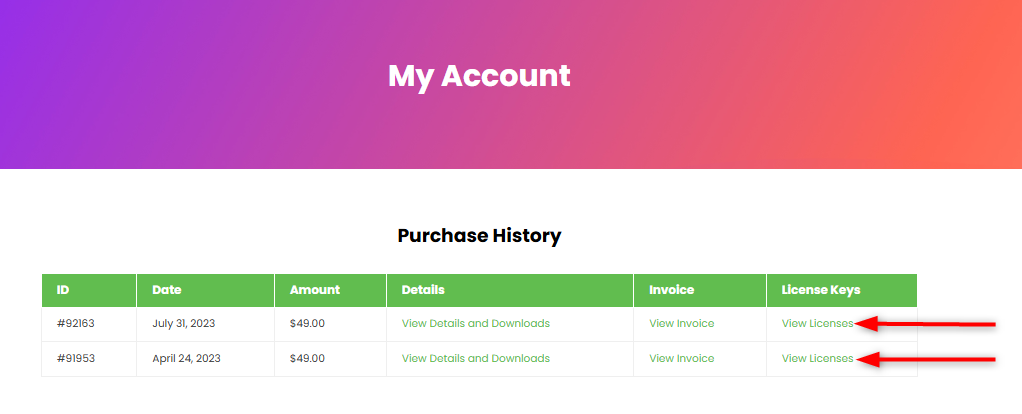
- Access the purchase history section
- Click on the “view licenses” link next to your purchase
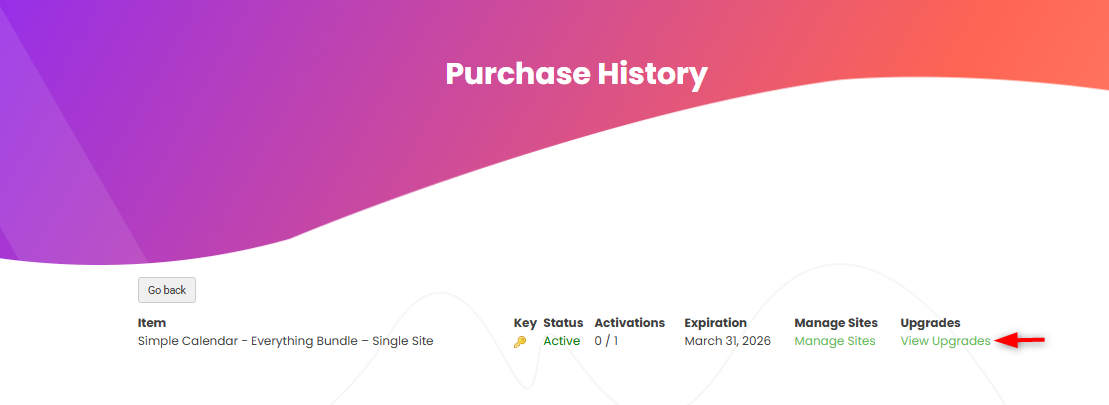
- On the next screen, click on the “View upgrades” link within the upgrades column
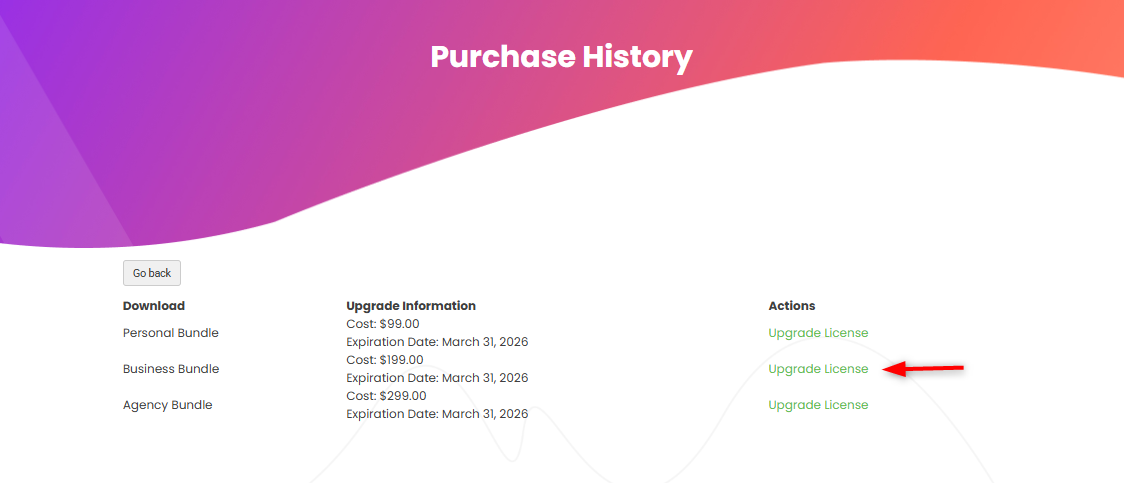
- Next, select your desired plan and click on the “upgrade license” link next to it
6. You will be redirected to the checkout page. Fill in the required information and complete the purchase.
Once the upgrade is complete, your license will immediately reflect the new tier and expanded usage within your account.