While using the free version of Simple Calendar, you may occasionally encounter the following error when the plugin tries to retrieve events from Google Calendar:
While trying to retrieve events, Google returned an error:

{

  "error": {

    "code": 403,

    "message": "Requests from referer \u003cempty\u003e are blocked.",

    "errors": [

      {

        "message": "Requests from referer \u003cempty\u003e are blocked.",

        "domain": "global",

        "reason": "forbidden"

      }

    ],

    "status": "PERMISSION_DENIED",

    "details": [

      {

        "@type": "type.googleapis.com/google.rpc.ErrorInfo",

        "reason": "API_KEY_HTTP_REFERRER_BLOCKED",

        "domain": "googleapis.com",

        "metadata": {

          "httpReferrer": "\u003cempty\u003e",

          "consumer": "projects/415383083283",

          "service": "calendar-json.googleapis.com"

        }

      },

      {

        "@type": "type.googleapis.com/google.rpc.LocalizedMessage",

        "locale": "en-US",

        "message": "Requests from referer \u003cempty\u003e are blocked."

      }

    ]

  }

}
Why This Error Occurs
This error usually occurs when Application Restrictions are enabled on your Google API key, specifically when the key is restricted to HTTP referrers (websites).
When an API key is restricted this way, Google expects every request to include a valid HTTP referrer header that matches the allowed domains.
However, requests made by Simple Calendar do not include a browser referrer, which results in Google detecting the request as coming from <empty>. Because the request does not match the configured referrer restrictions, Google blocks it and returns a 403 permission error.
Below is a sample scenario:
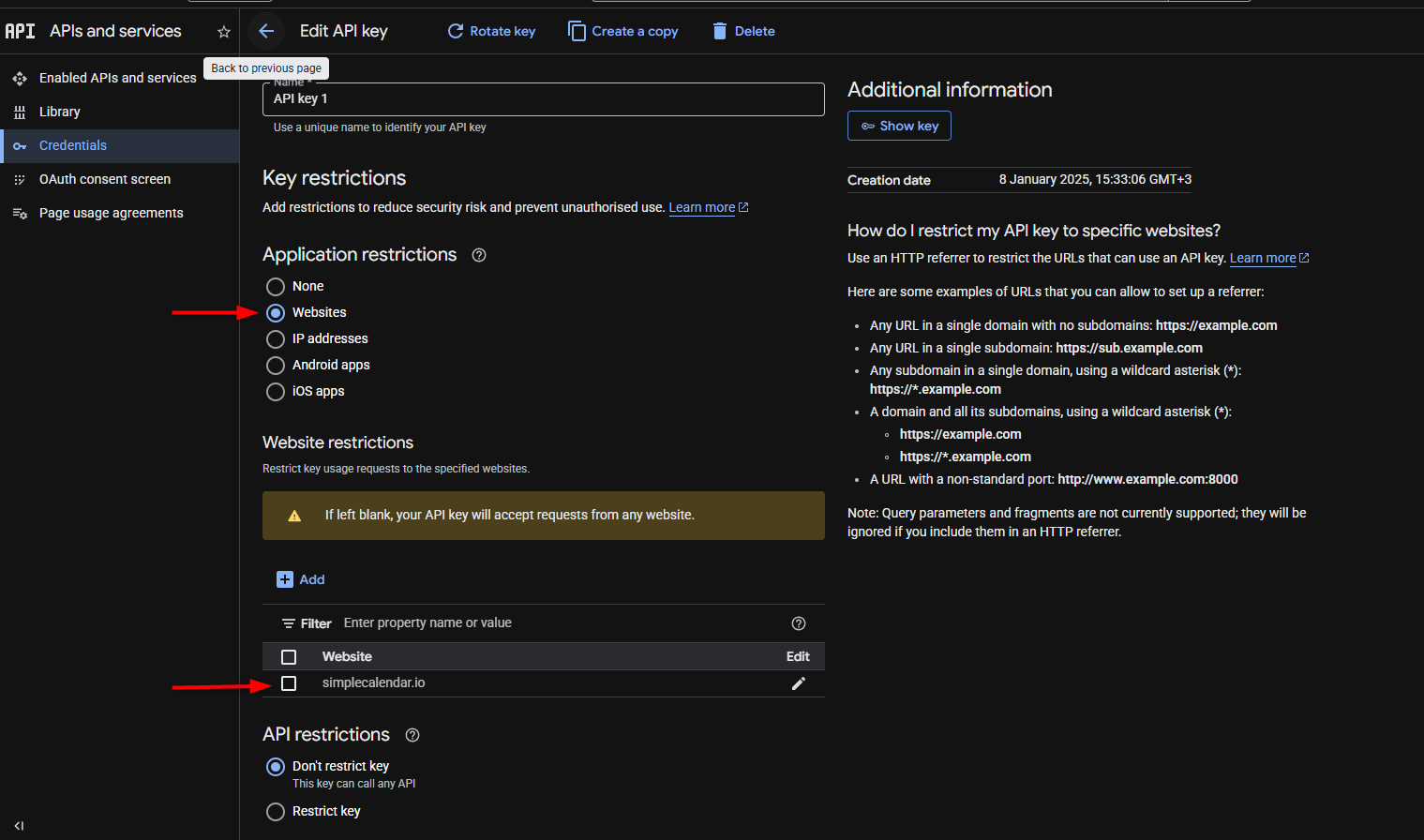
It is important to note that Simple Calendar currently does not allow website restrictions on the API Key.
How to Fix the Issue
To resolve this issue, you will need to adjust the Application Restrictions for your API key.
Recommended Fix
- Open the Google Cloud Console.
- Go to APIs & Services > Credentials.
- Select the API key used by Simple Calendar.
- Under Application Restrictions, choose:None
- Save your changes.
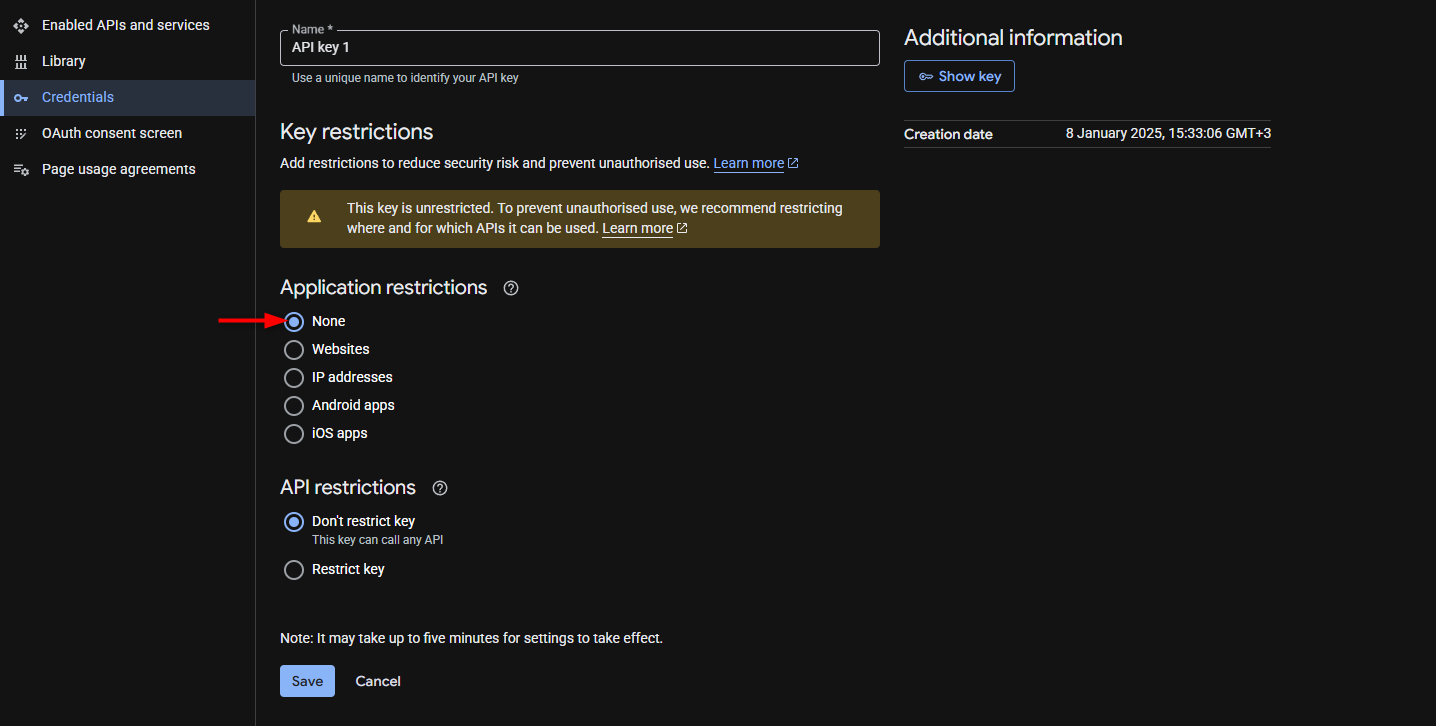
Once this is done, Simple Calendar should be able to retrieve events normally.
Alternative: Restrict by Server IP
If you prefer to restrict the API key for security reasons, you can instead restrict it by server IP address.
Because Simple Calendar retrieves events from the server, restricting the API key by the server’s IP address will work correctly.
To do this:
- Select IP address restrictions in your API key settings.
- Add the IP address of your web server.
If you are unsure about your server’s IP address, we recommend contacting your hosting provider for assistance.
Additional Security Alternatives
Instead of relying solely on API key referrer restrictions, you may also consider the following security practices:
- Setting API usage limits in the Google Cloud Console
- Rotating API keys periodically
- Monitoring API usage for unusual activity
These practices can help keep your API access secure while ensuring that Simple Calendar continues to function properly.