In a case where you no longer wish to use the pro plans/addons of Simple Calendar, you can have these cancelled from your account dashboard.
It is, however, important to note that upon cancellation of your subscription, your license will remain active until the end of the current billing period, and you will continue to receive updates and support until that date. After that, you will no longer be in a position to receive updates and support for the pro products.
Steps To Cancel Your Subscription
- Log in here using your Simple Calendar account
- Head over to your subscription page here
- Click on the “cancel” link next to your subscription
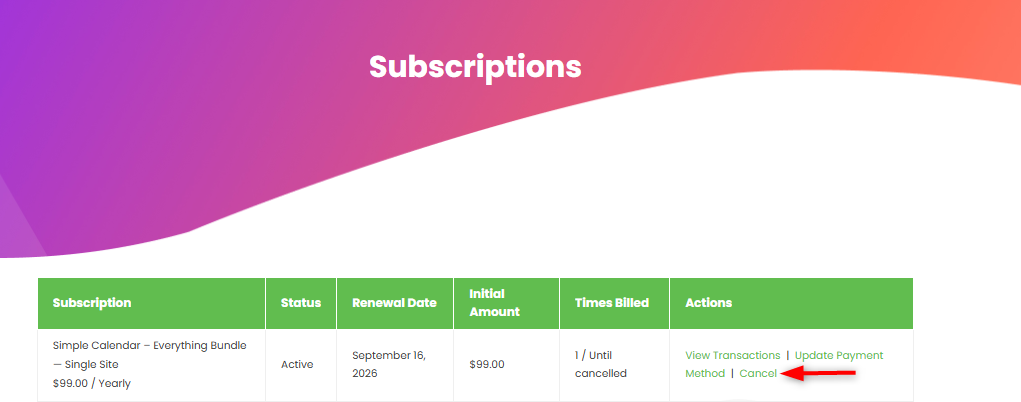
Once the cancellation is complete, the subscription will no longer renew automatically.