To continue receiving plugin updates and support for your Simple Calendar add-ons, your license must remain active. If your license has expired or is about to expire, you can renew your subscription from your account dashboard.
Usually, subscriptions are automatically billed once the subscription expires. However, if for one reason or another the payment was not processed successfully, you can manually renew your subscription by following the steps below.
Steps to Renew Your License
- Log in here using your Simple Calendar account
- Access your account subscription page here
- Next to your subscription, click on the “renew” link
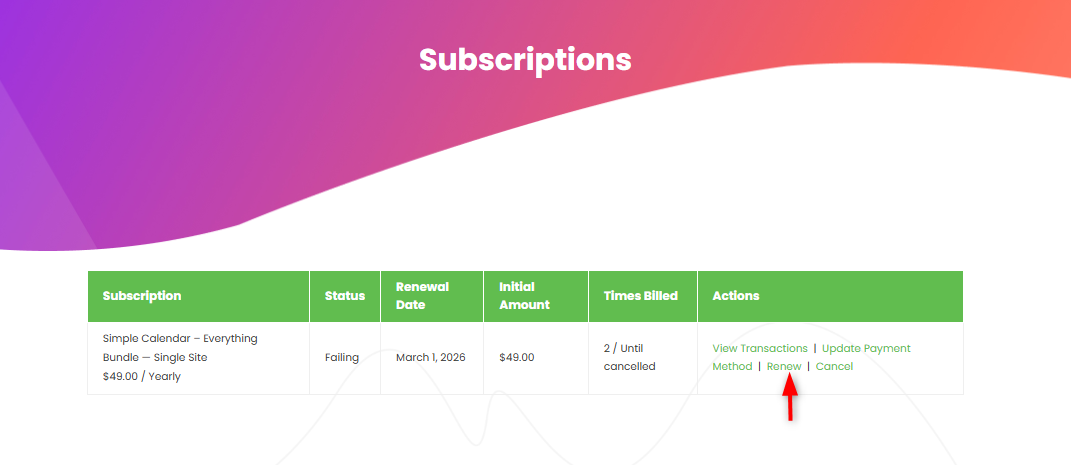
- You will then be redirected to the checkout page. Review the renewal details, ensure all required information is filled in, and complete the purchase.
Once the renewal is successful, your subscription status will be updated to Active, and your license will continue to receive updates and support for the next billing period.