The Simple Calendar plugin contains a Print Calendar functionality within it. This feature allows visitors and administrators to quickly print a clean version of the calendar directly from the front end, making it easier to share schedules, events, and availability offline or in physical form.
How to Enable the Print Calendar Option
To enable the feature, you will need to carry out the following:
– Edit your calendar from your WordPress dashboard
– Scroll down to the Calendar Settings
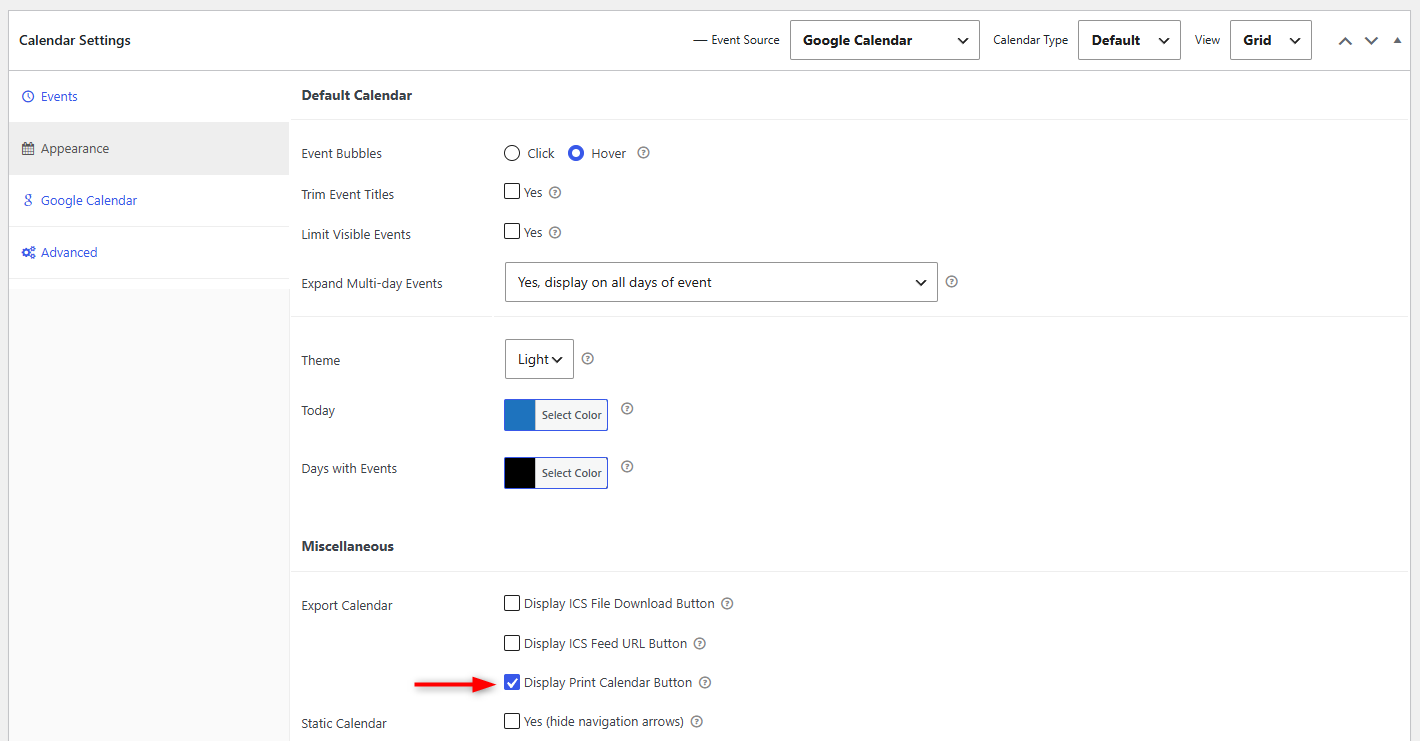
– Within the Appearance tab, scroll down to the Miscellaneous segment, and within the “Export Calendars” field, enable the “Print Calendar” option and save your changes
Below is a screenshot of this:
Once the above is carried out, you will have a Print button rendered beneath your calendar as illustrated below:
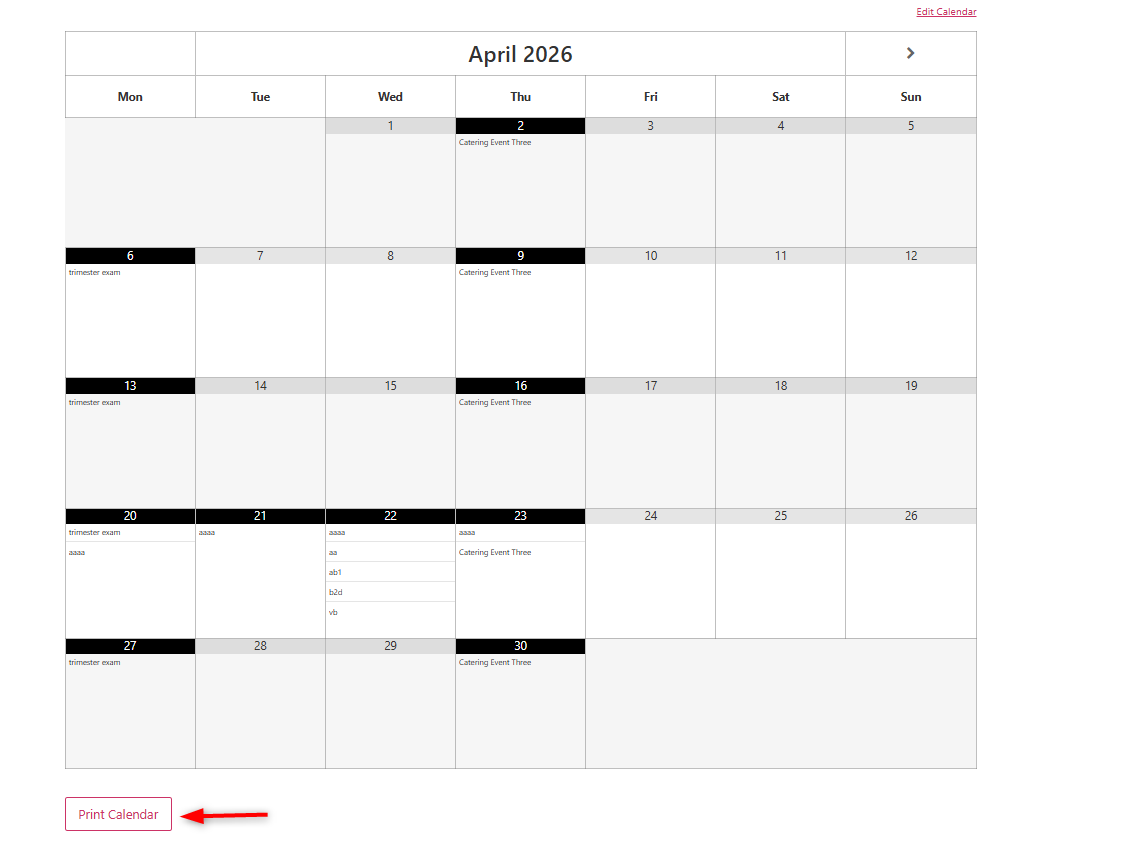
Upon clicking the button, a printable view of the calendar will be generated.
It is also important to note that this feature is available without requiring the Pro version of the plugin.