Previously, when multiple events in a grouped calendar occurred at the same time, they were automatically sorted and displayed alphabetically. As of Simple Calendar version 4.0.3, events are now displayed according to the manual calendar selection order configured in the backend.
For example, let’s assume that you have two calendars, “Marketing” and “Sales” and you have them set in your Grouped calendar as illustrated below:
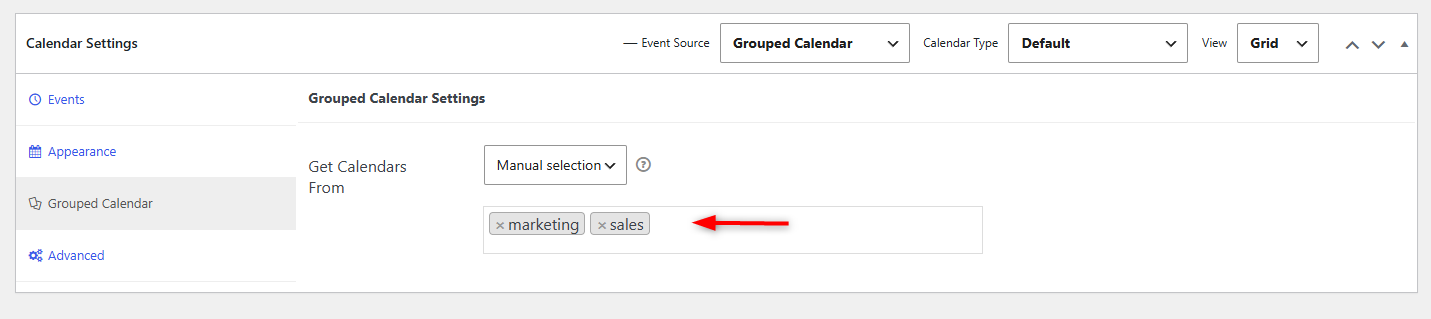
If two events occur at the same time (e.g., 10:00 AM–11:00 AM) in the “Marketing” and “Sales” calendars, and the calendar selection order is set to Marketing, Sales, the event from the Marketing calendar will be displayed first in the grouped calendar. If the selection order is changed to Sales, Marketing, the event from the Sales calendar will instead be displayed first.
This allows administrators to control the display order of simultaneous events through the calendar selection settings.